Bloglike
A collection of notes that mimics the style of a blog
Now in
NotionHugoObsidian!
This jumbled arrangement of files is essentially my Obsidian local files. The setup mimics CyanVoxel's own Obsidian designs, but I've gruvboxed the heck out of it - as is my usual MO for OSS development
Theme
I've customized the Obsidian interface (notebook/daily notes) with a Gruvbox color CSS theme. You probably can't see them on this blog, but most of my daily notes are in gruvbox format
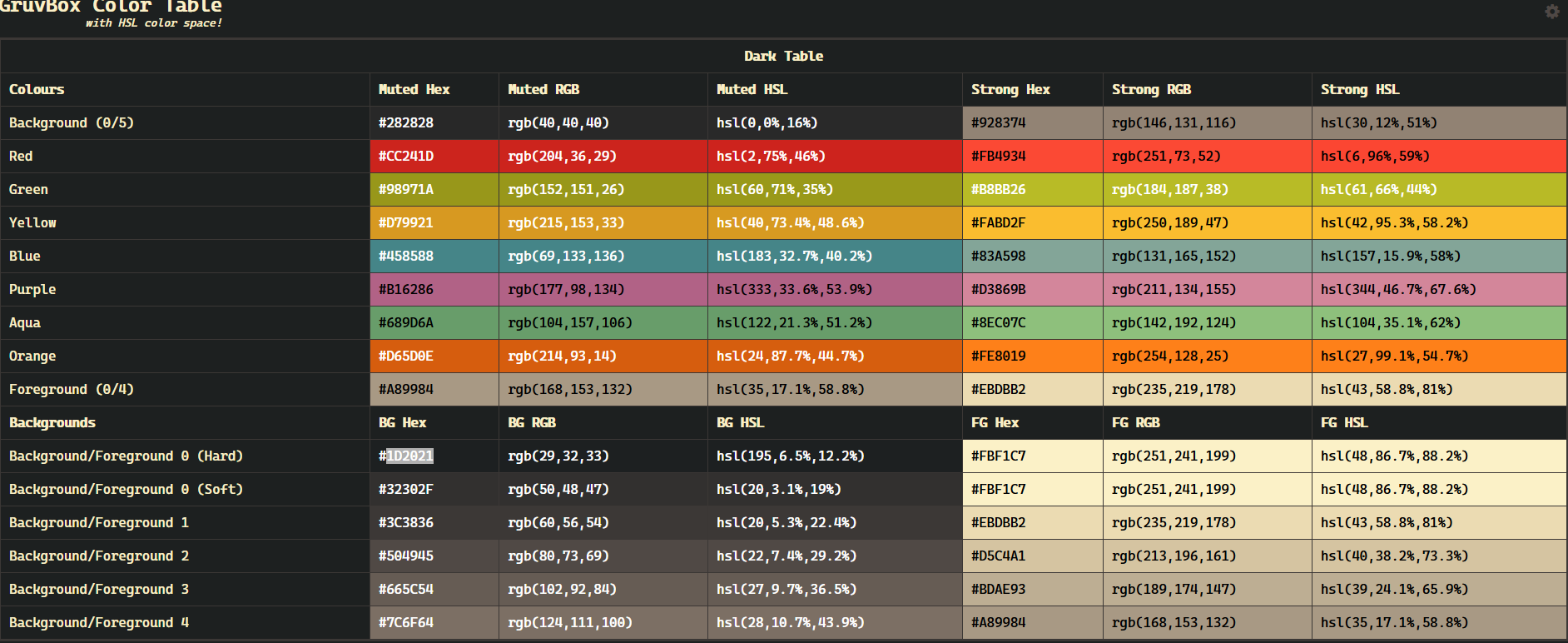
Why Gruvbox?
- Reduced Eye Strain: The theme's warm palette reduces glare and eye strain, especially during night-time writing sessions.
- Improved Focus: The muted colors help in minimizing distractions, allowing for better focus on the content.
- I'm permanently locked in 2017: Ricing scene at the time was flooded with gruvbox memes, so I'm fully embracing it... 7 years later
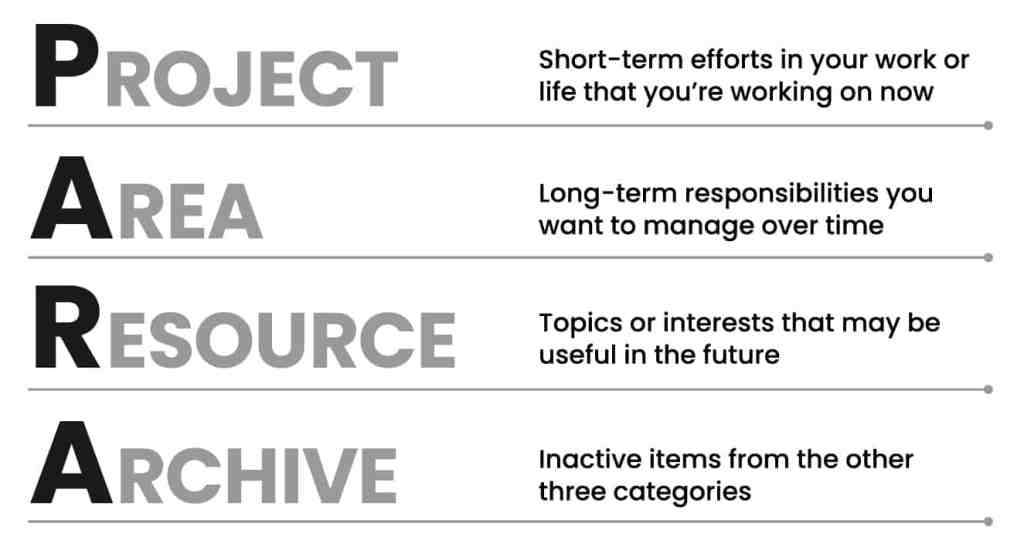
PARA System
Plugins
List of plugins include:
Digital Garden
- Description: A repo-to-vercel pipeline that has become incredibly convenient for the normie blogger in >=2024
- Use case: I'm using this to push my notes as blog posts
Obsidian Excalidraw Plugin
- Description: Adds support for creating and editing Excalidraw drawings directly in Obsidian.
- Use Case: I use this for visual brainstorming, flowcharts, and quick sketches to complement my notes.
Obsidian Hacker News Plugin
- Description: Integrates Hacker News directly into Obsidian, allowing for browsing HN posts.
- Use Case: Great for staying updated with tech and science news without leaving my note-taking environment.
Obsidian Icon Folder
- Description: Enables custom folder icons in Obsidian's file explorer for better visual organization.
- Use Case: I categorize my notes by topics and projects, and custom icons help me navigate my vault more efficiently.
Obsidian Tasks Plugin
- Description: Adds task management capabilities to Obsidian.
- Use Case: I track my to-dos, deadlines, and project tasks directly within my daily notes.
Settings Search
- Description: Adds a search bar to Obsidian's settings pane, making it easier to find and adjust settings quickly.
- Use Case: Useful for quickly tweaking settings or finding specific plugin options without navigating through menus.
Templater for Obsidian
- Description: A template creation plugin that enhances note creation with dynamic content.
- Use Case: I use templates to standardize the layout of my daily notes, including changing background colors based on the template, centering, etc...
Iconize
- Description: Putting icons in the folder name without making it hard for other programs to parse
- Use Case: I use this for my folder names to make them stand out. Not necessary
Templates
You should watch the video I link above. Remember to toggle the setting to Trigger Templater on file creation (it should be toggled on if you use the files here)
tl;dr
You're free to use this anywhere you want